


What Are the Essential App Categories for Digital Nomad Families in 2026?
Digital nomad families need apps for budgeting, organization, communication, learning, community, safety, and photo or document storage. Go-to picks include Wise for money transfers, Notion for organization, Grab for daily logistics, TripIt for itineraries, and learning apps like Khan Academy. VPN and cloud storage apps protect privacy and secure documents. Social and homeschooling apps fill gaps that most travel resources overlook.
The best travel apps for digital nomads cover five core needs: budgeting (Spending Tracker, Wise), communication and writing (Grammarly, Zoom, Slack), organization (Notion, TripIt, Google Calendar), daily life on the road (Grab, Google Translate, Google Maps), and safety (NordVPN). The right combination depends on your work style, but these are the ones a family digital nomad based in Thailand genuinely uses every day.
From planning the next trip to organizing the workplace to making social contacts, as a Digital Nomad, you always have a busy life. Add kids to that equation and suddenly “busy” doesn’t quite cover it. Here’s a list of travel apps for Digital Nomad families we genuinely can’t live without, and yes, I mean genuinely, not “I tested these for a sponsored post” genuinely.
Spending Tracker, Budget App
With this app, we accurately document every single expense. From rent to groceries to childcare. We see fast where we spend too much, and just as fast where a place is cheap for us.
The best part is how fast you see the pattern. With just a few taps, we can easily identify areas where we might be allocating more funds than necessary. This transparency empowers us to make informed decisions about budget adjustments and reallocate resources to align with our financial priorities.
It also shows the opposite, the places where we get by on very little. That part is the useful one, because we can copy what worked in one month into the next. If you’ve ever stared at a month-end bank statement wondering where it all went, this app is your reckoning, in the best possible way.
Grab, Transport, Food, and Everything Else in Asia
Especially when traveling in Asia, Grab is an essential tool. Whether for your transport, to order food, or to send things. I can no longer imagine life without Grab.
Grab changed how we get around. A ride is a few taps away, and it has been quick and reliable every time. Short hop across town or a longer drive, same experience.
Food is the other half of it. Grab delivers, so we get the local dishes without leaving whatever place we are calling home this month. Exploring the diverse culinary offerings of each destination becomes an even more delightful experience with the ease of having delicious meals delivered right to our doorstep.
Beyond transport and food, Grab extends its functionality to sending and receiving packages, further solidifying its status as an indispensable tool for Digital Nomad families. The ability to seamlessly arrange for deliveries makes managing logistics and receiving essential items a breeze, and when you’re wrangling children and deadlines simultaneously, “a breeze” is not a small thing.

Grammarly, Writing Assistant for Every Language Level
For all non-native (and native) speakers, this app is so helpful! Whether on your phone or laptop, it alerts you to your mistakes and gives you valuable alternatives. Best of all, it even tells you what your tone is. From the most insignificant email to a blog article, I write everything with Grammarly.
Grammarly does more than catch spelling and grammar. It works on tone and clarity too, on a two-line email as much as on a long blog post.
The tone check is the part that stands out. Correctness is one thing, but it also tells you how a text reads, which helps when you need to land somewhere specific: formal, casual, informative or persuasive.
We work remotely and write all day, so Grammarly is a fixed part of the process by now. It speeds up editing, and it teaches as it goes, for the adults here as much as for the older kids.
Xe Currency and Wise, Managing Money Across Borders
For me, this app is the most straightforward way to convert currencies.
With Wise (formerly TransferWise), you can transfer money internationally within seconds, and for a fraction of the booking costs otherwise incurred by banks. We have several currency accounts with Wise and use them to pay our rent or tuition fees for our children.
One of the standout advantages of Wise is its ability to significantly reduce the costs associated with international money transfers. When compared to traditional banking channels, which often levy hefty fees and unfavorable exchange rates, Wise offers a transparent and cost-efficient solution. This becomes particularly crucial when handling significant financial transactions, such as paying rent or covering tuition fees for our children.
The flexibility provided by Wise is further amplified by its multicurrency accounts. Having multiple currency accounts with Wise enables us to manage and allocate funds in various currencies, whether we’re settling obligations in euros, dollars, or baht, Wise makes it nearly frictionless. For a family juggling expenses across multiple countries, this is not just convenient; it’s genuinely money-saving.
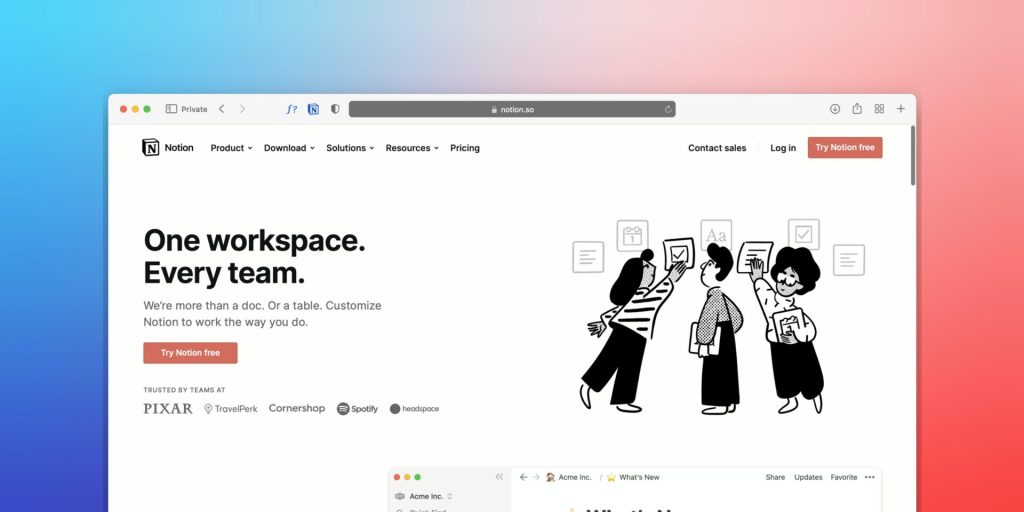
Notion, The All-Rounder That Organizes Everything
I use Notion professionally to keep track of all my blog topics and content planning. I know people who use it to organize their entire life. In any case, Notion is a true all-rounder and easy to use on Mac and smartphone.
Professionally, using Notion for blog management has proven to be a game-changer. I can effortlessly create databases to track blog topics, outline content plans, and maintain an editorial calendar, all within a single platform. The ability to seamlessly switch between my Mac and smartphone ensures that I can stay organized and productive, whether I’m at my desk or on the go.
Beyond blogging, Notion’s adaptability really shines for families. Some people use it to organize everything from school schedules and to-do lists to collaborative projects and creative brainstorming. The simplicity of the interface, combined with its powerful features, makes Notion accessible to everyone, including those of us whose idea of “technical expertise” is knowing how to restart the router.
Google Translate, The App That Has Saved Us More Times Than I Can Count
Where would I be now without Google Translate? I’ve no idea! A lot of misunderstandings would have happened in my life, for sure. Translate via text input, voice, photo, or video into 133 different languages (as of 2023). The photo translation feature alone has gotten us out of more sticky menu situations than I care to admit.
Zoom, Video Calls That Actually Work on Patchy Wi-Fi
I’m not the biggest fan of Zoom, as I find the features of the free version relatively limited, but I still use it daily. The significant advantage: Even with a relatively poor connection, a reasonably smooth call is still possible via Zoom. You can send invitation links yourself or be invited to recurring events and group appointments.
Zoom holds a call together even on a bad line. On the road that matters, because the internet is a lottery. City apartment with fast wifi or a remote spot with a weak signal, the call still happens.
Lightroom, Because Phone Photos Deserve Better
No, not just for professional photographers (I’m far from it too)! The free Lightroom app on the iPhone is my daily assistant for beautiful photos. I have a set of presets that I like and edit each image with it before uploading them to our photo cloud.
Lightroom is simple to use and still changes a photo completely. I have my own set of presets, and I edit every picture before it goes into our photo cloud. It runs on my iPhone, so that happens wherever I am.
From adjusting exposure and contrast to infusing warmth through color grading, the intuitive interface empowers me to craft visually appealing stories with a few taps. Each photo becomes a canvas for creative expression, and Lightroom ensures that even amateurs can weave a touch of artistry into their visual chronicles.

iCloud and Find My, Shared Memories and Sanity-Saving Tracking
Through iCloud’s shared photo albums, we share all our memories. Big disadvantage: quality gets lost! Therefore, we store raw materials locally.
Find My, and no, I’m not a stalker or a control freak. With Find My I can see whether my husband is stuck in traffic, whether I left my headphones at home, and where my suitcase got stranded. Countless times this app has saved my life, or at least my nerves. For families constantly on the move, having a quiet, reliable way to track people and belongings without having to send seventeen “where are you?” messages is a small but very real gift.
Slack, Team Communication That Keeps Up with You
A messaging app for teams to communicate and collaborate on projects. The practical thing about it: you can work with different teams on different projects. There is a desktop app and a smartphone app.
NordVPN, Browse Safely on Any Network
Working from coffee shops, airport lounges, and co-working spaces is the nomad reality. And public Wi-Fi without a VPN is basically handing your data to strangers. I use NordVPN whenever I’m on an unfamiliar network, which, as a nomad, is most of the time.
It’s fast, reliable, and it takes about three seconds to connect. It also means I can access content from back home when I’m missing German TV. Worth every euro of the subscription, and for families who are banking, booking schools, and managing multiple accounts on the road, the protection it offers is genuinely non-negotiable.
TripIt, Keep Your Itinerary in One Place
Before I found TripIt, my travel confirmations were scattered across at least four email inboxes. Now I forward every booking confirmation to TripIt and it auto-builds a master itinerary. Flights, hotels, car rentals, all in one timeline.
It’s especially useful when you’re juggling multiple legs of a family trip and someone (my husband) keeps asking “wait, which hotel is it tonight?” TripIt has an answer. I do not have to.
Nomad List, Research Your Next Base Before You Commit
If you don’t know Nomad List yet, stop and bookmark it now. It ranks cities worldwide by cost of living, internet speed, safety, temperature, and overall nomad-friendliness. Before we decided to base ourselves in Thailand, Nomad List data was part of the decision.
It’s not perfect, cost data can lag a little, but it’s the best single-page overview of a destination’s nomad suitability that I’ve found. For families specifically, the safety and temperature columns are worth their weight in gold.
Learning and Homeschool Apps for Digital Nomad Kids
Digital nomad families often homeschool or worldschool on the road, and finding apps that actually keep kids engaged, rather than just opening YouTube, is half the battle. Apps like Khan Academy, Duolingo, and Prodigy Math provide free, high-quality learning for kids anywhere with a Wi-Fi connection. Google Classroom lets you coordinate lessons and assignments without things disappearing into the abyss of a shared family inbox.
Epic and Audible Kids are fantastic for reading on the go, whether you’re on a twelve-hour flight or stuck waiting for a delayed ferry in the rain. For tracking progress, Seesaw and Homeschool Tracker work well, especially if you share updates with extended family or need to meet any local reporting requirements. These platforms make it genuinely possible for kids to keep learning independently, whether you’re in a Thai bungalow or a budget Airbnb in Lisbon with questionable plumbing.
The goal is not to recreate school on the road, it’s to create a rhythm that works for your family. The right combination of apps makes that rhythm a lot easier to find.
Community and Social Apps for Nomad Families
Nomad life can be isolating, and that loneliness hits harder when you have kids who want friends, not just interesting new stamps in their passport. Community apps keep you connected in ways that matter. Facebook Groups like “Families Who Travel” and MeetUp help parents find playdates, family-friendly events, and other nomadic parents who genuinely understand why you’re eating dinner at 7pm in a co-working space.
Nomad List also features a lively community forum, and apps like Tandem and InterNations are helpful for meetups, language exchange, and family-friendly gatherings abroad. Staying social is what keeps kids (and parents) sane when you change location every few weeks. Even one good playdate can reset the whole family’s mood. Trust me on this.
Document Storage, Scanning, and Password Apps
On the road, losing even one key document is a nightmare you only need to experience once. Google Drive, Dropbox, and iCloud safely store passports, medical records, vaccination certificates, and school documents, things that cannot be reconstructed easily if lost. CamScanner or Adobe Scan can digitize any receipt, rental agreement, or official letter in seconds.
For logins, LastPass and 1Password keep track of the dozens of passwords a nomad family juggles across banks, schools, insurance portals, and booking platforms. A well-organized cloud storage and password manager setup is just as vital as having the right suitcase. Arguably more so, you can replace a suitcase.
Other Essentials
Other app must-haves that don’t need any explanation but I use daily: Google Maps, Google Calendar, Airbnb, Booking, Lazada (the Asian Amazon), Reminders, and Notes. The unglamorous backbone of daily nomad life.
Key Takeaways
- Wise offers multi-currency accounts and cheap international transfers, far better than traditional banks for nomad families.
- NordVPN protects your family’s data on public Wi-Fi. Non-negotiable.
- Grab handles transport, food delivery, and parcels across Southeast Asia in one app.
- TripIt auto-builds your family travel itinerary from forwarded booking confirmation emails.
- Nomad List ranks cities for families by cost, internet speed, safety, and temperature.
- Notion works for content planning, life organizing, and coordinating with teams.
- Grammarly checks tone and catches typos quickly, useful for non-native writers and busy parents firing off emails at midnight.
- FindMy tracks family members, bags, and those headphones you definitely did not leave at the co-working space. (You did. They were there.)
- Learning apps like Khan Academy, Duolingo, and Seesaw keep kids educated and engaged on the road.
- Document and password apps like Google Drive and 1Password protect your most critical paperwork and logins anywhere in the world.
Final Thoughts
What apps do you use to stay organized, communicate with team members, and stay productive on the go? Especially if you’re traveling with kids, I’d love to know what’s working for your family and what I’m missing. Let me know in the comments!
Thank you for reading and for making me part of your day!
Yours, Lulu
Frequently Asked Questions
What are the best travel apps for digital nomad families?
The best travel apps for digital nomad families include Wise for international money management, Notion for organization, TripIt for itineraries, Grab for daily logistics in Asia, NordVPN for safety on public networks, and Google Maps for navigation. For families specifically, learning apps like Khan Academy and community tools like MeetUp or Facebook Groups add layers that solo nomad lists often miss. Apps like Notion and Slack also help families stay coordinated across time zones and destinations.
What is the best app for homeschooling or worldschooling on the go?
Khan Academy is the top free app for structured learning, covering subjects from kindergarten through early college. Duolingo and Prodigy Math are excellent for language and math in short, engaging sessions. Google Classroom and Seesaw help families manage assignments and track progress from anywhere, which is particularly useful if you need to share records with family members or meet any local reporting requirements while traveling.
Which apps help digital nomad families find community?
Facebook Groups like “Families Who Travel” and MeetUp connect families to local events, playdates, and other nomadic parents in the same city. Nomad List features a community forum where nomads share real-time tips and recommendations. InterNations helps families find expat gatherings, and Tandem supports language exchange for both kids and adults, making it a genuinely useful social tool, not just another app collecting dust on your phone.
How can digital nomad families ensure online safety?
Apps like NordVPN protect your family’s data on public Wi-Fi by encrypting your connection, so banking, booking, and working remotely stays private even on unsecured networks in cafés or airports. Parental controls built into iOS and Android add a layer of protection for children’s devices. Password managers such as LastPass or 1Password ensure that your family’s dozens of logins are secured with strong, unique passwords without anyone needing to remember them all.
What app essentials are free for digital nomad families?
Quite a few of the most useful ones, actually. Khan Academy, Google Maps, Google Translate, Duolingo, Spending Tracker, WhatsApp, and Facebook Groups are all free and together cover the key needs of travel, learning, language, organization, and community. You can build a genuinely solid digital nomad toolkit without spending a cent on apps, though a few paid ones, like NordVPN and Wise, are worth the investment for what they protect and save.
Is a VPN really necessary for families abroad?
Yes, absolutely. Public Wi-Fi in hotels, cafés, airports, and co-working spaces is convenient but inherently risky, especially when you’re managing family finances, school logins, and work accounts on the same device. VPNs like NordVPN encrypt your data so you can bank, shop, and work safely without handing your credentials to whoever else is on the same network. For families managing multiple accounts across multiple countries, it’s one of those tools you don’t miss until you need it, and then you really need it.
What app keeps family travel itineraries organized?
TripIt is highly rated among digital nomads for storing travel bookings and automatically building a unified travel timeline from forwarded confirmation emails. Forward your flight, hotel, car rental, and activity confirmations to TripIt and it assembles everything into one clean, chronological view. The free version suits most family trips comfortably, while TripIt Pro adds real-time flight alerts, useful when you have connecting flights and small children and absolutely no margin for surprise.